
Currently Empty: $0.00
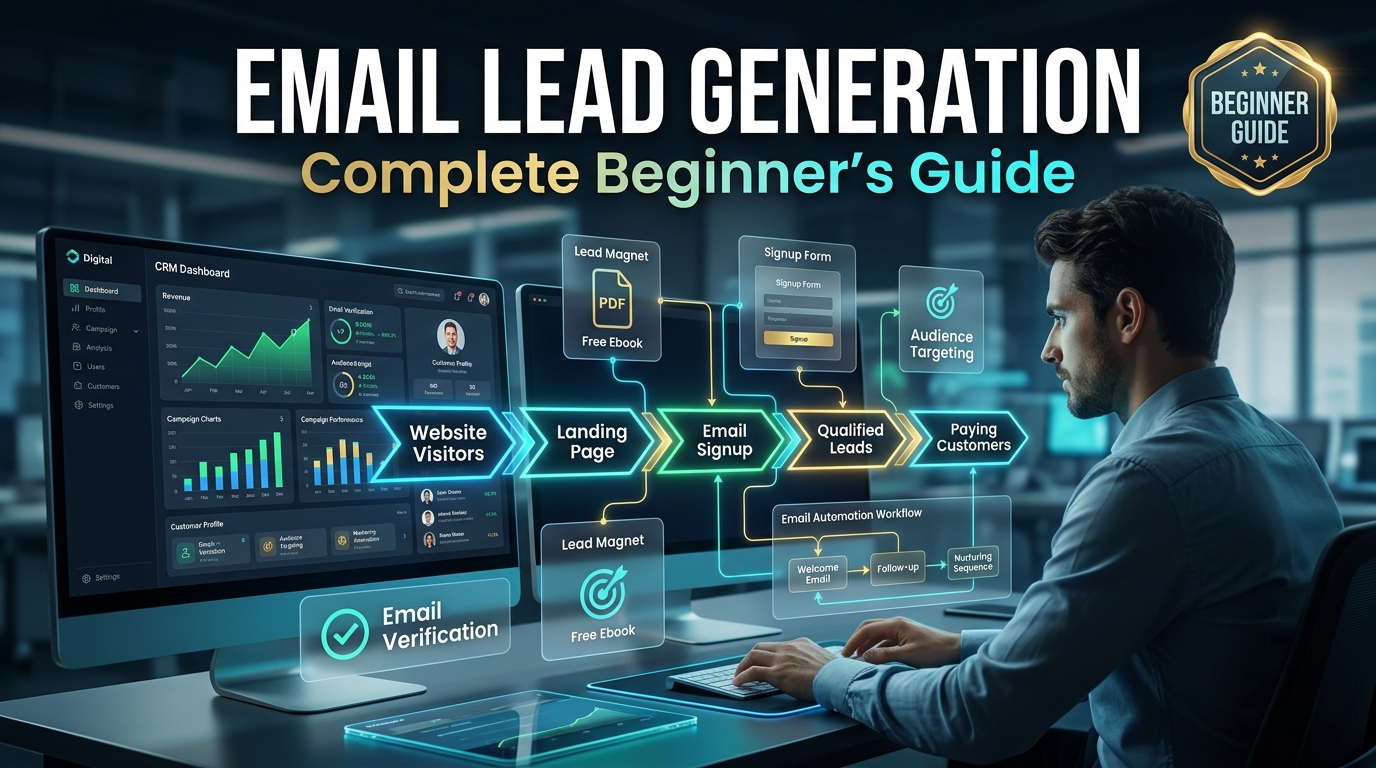
When I built my first email list, I had zero clue what I was doing. I signed up for Mailchimp, added a random “subscribe” button to my blog, and just… waited. Three months later I had 11 subscribers, four of which were my own alt emails I made to test the form. That’s when I realized lead generation isn’t something that just happens because you have a signup form somewhere on your site. You actually have to work for it, and there’s a real process behind it that nobody explained to me clearly when I started.
So this is the guide I wish someone had handed me back then — no fluff, just what actually works based on trial, error, and a bunch of small wins along the way.
What Email Lead Generation Actually Means
Email lead generation is simply the process of getting people to voluntarily hand over their email address because they want something you’re offering — information, a discount, a tool, whatever. It’s not about tricking people into signing up. The best lead gen happens when the offer is genuinely useful.
Step 1: Figure Out What You’re Actually Offering
Before touching any tech, I had to answer one question: why would a stranger give me their email? “Sign up for updates” doesn’t cut it anymore, nobody wants more updates in their inbox.
What worked for me eventually was creating a simple checklist related to my niche. It took me an afternoon to make in Canva, and it became the single best lead magnet I’ve ever used. Other formats that work well depending on your niche:
- Free templates or swipe files
- Short email courses (5 days, one tip per day)
- Discount codes for ecommerce stores
- Free trials or demo access for SaaS products
- Quizzes with personalized results
Step 2: Build a Landing Page That Doesn’t Overwhelm People
My first landing page had five paragraphs before the signup form. Nobody read past the second line. I eventually cut it down to one clear headline, three bullet points on what they’ll get, and the form itself. Conversion rate went from under 2% to almost 9%.
Tools that made this easy for me: Elementor (since I already run WordPress), Carrd for super quick single pages, and later ConvertKit’s built-in landing pages once I moved my whole email system there.
Step 3: Pick an Email Tool and Set Up Your Form
I started with Mailchimp, moved to MailerLite for a while because it was cheaper at the time, and now mostly use ConvertKit for anything creator-related. Honestly, for a beginner, it doesn’t matter much which one you pick — what matters is actually connecting your form properly and testing it yourself before going live.
I once had a form that looked fine but wasn’t actually connected to my list because of a copy-paste error in the embed code. I didn’t notice for almost three weeks. Always test your own form with a real email before sharing it anywhere.
Step 4: Drive Traffic to Your Offer
A lead magnet sitting on a page nobody visits does nothing. Here’s what actually brought me traffic without spending on ads at first:
- Answering questions on relevant subreddits and linking to the resource when genuinely helpful
- Writing blog posts that naturally lead into the lead magnet
- Posting on LinkedIn with a clear call to action
- Guest posting on other people’s blogs in exchange for a backlink and mention
Once I had some budget, running small Facebook and Instagram ad campaigns targeting the lead magnet specifically also worked well, especially with a $5-10 daily budget just to test.
Step 5: Set Up a Welcome Sequence
This is the part most beginners skip completely, and it’s honestly the most important. When someone signs up, they’re at their most interested. I set up a simple 4-email welcome sequence: deliver the freebie, share a quick win or tip, tell a bit about my story, then softly introduce what I offer.
Before I had this sequence, new subscribers would forget about me within a week. After setting it up, my open rates on the welcome series stayed above 45%, way higher than my regular newsletter sends.
Mistakes I Made Along the Way
I bought a “quality” email list once from a marketplace, thinking it’d save me time. It tanked my sender reputation and got my domain flagged for almost a month. Never buy lists, always build them organically.
I also used to ignore mobile optimization on my landing pages. Turns out over 60% of my traffic was mobile, and my form was barely usable on smaller screens. Fixing that alone increased signups noticeably.
A Real Example That Tied It All Together
A small local business I helped — a home organizing service — had zero email list six months ago. We created a simple “5 Quick Decluttering Wins” PDF, built a one-page Carrd landing page, ran a small $150 Facebook ad campaign targeting local moms, and set up a 3-email welcome sequence. Within two months they had over 400 subscribers and booked several paid consultations directly from email replies.
Common Mistakes to Avoid
- Offering a lead magnet nobody actually wants.
- Overcomplicating your landing page with too much text.
- Buying email lists instead of building them organically.
- Skipping the welcome sequence entirely.
- Never testing your own signup form before sharing it publicly.
Final Thoughts
Lead generation isn’t complicated once you break it into these small steps, but it does take patience. My first list grew painfully slowly, and it wasn’t until I actually offered something people genuinely wanted that things picked up. Start small, test everything yourself, and don’t be afraid to tweak your offer if it’s not converting. That’s really how every list — including mine — actually gets built.