
Currently Empty: $0.00
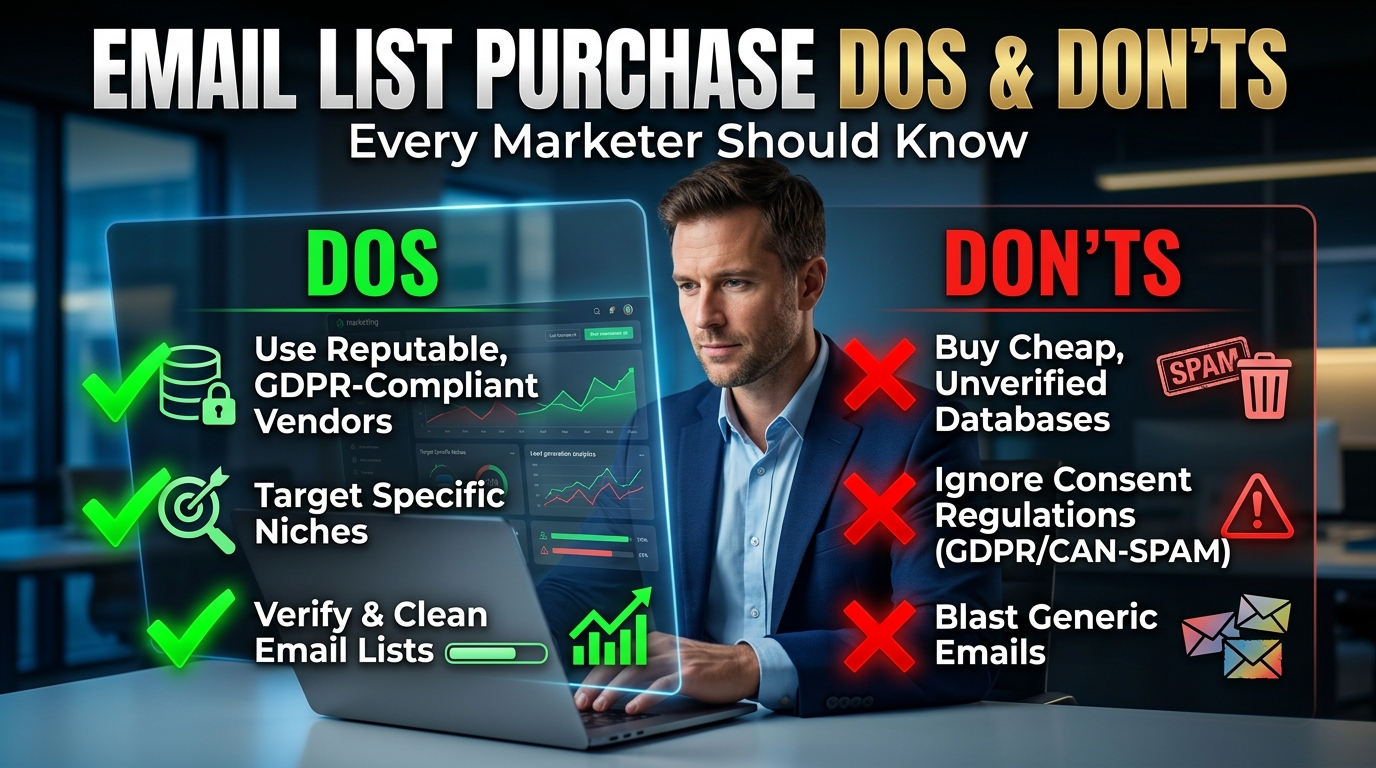
Top Email Marketing List Purchase Dos And Don’ts Every Marketer Should Know
Nobody talks about the moment their email campaign just… dies.
Not dramatically. Not with an error message. It just quietly stops working. Open rates collapse. Replies dry up. You log into your sending tool and see a sea of bounced emails and a sender score that’s somehow dropped 40 points in two weeks.
That happened to me about 18 months into running campaigns for a client in the professional services space. We had purchased a list — 8,000 contacts in a niche vertical — from a vendor who came highly recommended in a Facebook group. The data looked clean. The CSV was organized. The price felt reasonable.
Within three weeks, we’d burned through our sending reputation, gotten the client’s domain flagged, and spent the better part of a month rebuilding trust with Gmail and Outlook.
Here’s everything I wish someone had told me before we pulled the trigger on that purchase.
First: Why People Buy Email Lists at All
Let’s not pretend it’s some fringe or shady practice. Buying or licensing email lists is a completely standard part of B2B marketing. Companies like ZoomInfo, Apollo, Lusha, and Cognism built multi-hundred-million-dollar businesses on it. Enterprise sales teams use purchased contact data every day.
The issue isn’t the concept. The issue is the execution — specifically, the decisions most marketers make in a rush, under pressure to generate leads fast.
When you’re staring down a quarterly pipeline goal and your organic lead flow isn’t cutting it, buying a list feels like a logical shortcut. Sometimes it is. But there’s a huge range between “legitimate B2B contact data from a reputable platform” and “100,000 emails for $29 from a random website.”
The difference between those two things isn’t just price. It’s your domain reputation, your deliverability, your legal exposure, and ultimately your marketing ROI.
The Dos — What Actually Works
Do buy from platforms with verifiable data sourcing
The first question to ask any vendor — whether it’s a major platform or a smaller data provider — is: where does this data come from?
Reputable sources gather data through legitimate means: public professional profiles, opt-in directories, business registrations, and partnerships with data providers who get explicit consent. Apollo, Hunter, Cognism, and LeadIQ all publish their data sourcing methodology. You can actually read it.
If a vendor can’t clearly explain where their data comes from, walk away. Mystery-sourced data is almost always scraped, resold, or both.
Do use role-based filters before downloading
The worst bulk purchases I’ve seen were ones where someone pulled every available contact in an industry without any filtering. You end up with a list so broad it’s effectively useless — and expensive to send to.
Before downloading any bulk list, filter hard:
- Job title / seniority: Are you targeting decision-makers or influencers? Get specific. “VP of Marketing” and “Marketing Coordinator” are completely different audiences.
- Company size: A 10-person startup has very different needs and budgets than a 500-person mid-market company.
- Industry vertical: Even within “technology,” there’s a massive difference between SaaS, hardware, consulting, and managed services.
- Geography: GDPR concerns aside, regional targeting almost always improves relevance.
The more specific your filter, the smaller — and more valuable — your list becomes.
Do verify every list before sending
Even the best platforms have data decay. People change jobs. Companies get acquired. Emails get abandoned. Industry estimates suggest B2B data decays at a rate of 20–30% per year, which means a list you downloaded six months ago already has significant dead weight.
Tools like NeverBounce, ZeroBounce, and BriteVerify can scan a CSV and flag invalid, risky, or catch-all addresses before you import them into your ESP. This step alone can be the difference between a 2% bounce rate and a 15% bounce rate — and that difference is enormous for your sender reputation.
The cost to verify 5,000 emails is typically $10–25. The cost of tanking your domain reputation and rebuilding it over three months is… much higher.
Do send from a separate cold outreach domain
This one changed everything for me when I finally started doing it properly.
Your primary business domain — the one your team uses for internal email, client communication, and transactional messages — should never be used for cold outreach to purchased lists. Full stop.
Set up a separate domain specifically for outreach campaigns. Something like yourcompany-mail.com or yourbrand-hq.com. Warm it up over 4–6 weeks using a tool like Instantly or Smartlead (both have inbox warming built in), then use it exclusively for cold email.
If that domain ever gets flagged, your core domain is protected. You can retire it, swap to a fresh one, and keep going. If your main domain gets flagged — which is what happened to my client — you’ve got a much more serious problem.
Do segment and personalize immediately
The contacts you download are just raw material. What you do with them determines whether they convert or churn.
Resist the temptation to batch-blast an entire CSV of 3,000 people with the same generic message. Split that list into logical segments — by industry, title, company stage, or pain point — and write messaging specific to each group.
A 200-person segment with a highly relevant, personalized email will almost always outperform a 3,000-person blast with a generic message. I’ve seen reply rates triple just by splitting one large list into four tighter segments with tailored copy.
Do track list source performance
Every list you buy, from every vendor, should be tagged separately in your CRM and email tool. Source: Apollo export, March 2025. Source: Cognism campaign, Q2.
Over time, this data is incredibly valuable. You’ll see which sources actually generate pipeline — not just opens, not just replies, but real opportunities — and which ones consistently produce junk. That information shapes every future list purchase decision.
The Don’ts — What to Stop Doing Immediately
Don’t buy from random vendors promising massive scale for cheap
This bears repeating because people keep making this mistake. If someone is selling you 500,000 B2B emails for $99, that is not a deal. That is scraped, recycled, unverified data that’s been sold to hundreds of other buyers already. It contains spam traps. It will destroy your sender reputation. It may expose you to legal liability depending on your jurisdiction.
The economics of legitimate data sourcing don’t allow for that price point. Real verification, real data maintenance, real compliance overhead — it costs money. Vendors who price below that floor are cutting corners somewhere, and you’ll pay for it later.
Don’t import a purchased list directly into your warm email audience
Your warm email list — existing customers, subscribers, people who signed up via your website — is a precious asset. It’s high-engagement, high-trust, and built over time.
Never mix a cold purchased list into that audience. Import them separately. Segment them separately. The last thing you want is the engagement patterns of a cold list dragging down the deliverability and reputation associated with your warm audience.
Don’t send without researching compliance requirements
This is an area where I see a lot of smaller marketers genuinely confused, and understandably so — the rules vary significantly by geography.
CAN-SPAM (US): For commercial email, you need an opt-out mechanism, a physical mailing address, honest subject lines, and no deceptive routing information. Cold email to businesses is generally permitted under CAN-SPAM as long as you follow the rules.
GDPR (EU): Much stricter. You need a lawful basis for processing personal data. Cold email to EU residents without their consent is legally murky at best, and in practice, many European countries effectively require opt-in for marketing email. If a significant portion of your purchased list is EU-based, get proper legal guidance before sending.
CASL (Canada): Among the strictest anti-spam laws in the world. Generally requires express or implied consent before sending commercial electronic messages. Don’t assume your US-focused practices apply to Canadian contacts.
Not knowing the law doesn’t protect you from it. If you’re going to buy and use email lists at scale, spending an hour understanding the applicable regulations in your target markets is worth every minute.
Don’t keep sending to non-responders indefinitely
One of the subtler mistakes I see in cold email campaigns is treating the entire list like it needs infinite follow-up attempts until someone responds.
If someone hasn’t opened or clicked across five touchpoints over three weeks, they’re not interested. Continuing to email them drives down your engagement metrics, increases the chance of spam complaints, and wastes your sending volume.
Build an automated suppression into your sequence. After 4–5 attempts with no engagement, move those contacts to a suppression list and stop sending. Clean campaigns have cleaner metrics, and cleaner metrics mean better deliverability.
Don’t forget to honor unsubscribes — fast
Under CAN-SPAM, you’re required to honor opt-out requests within 10 business days. In practice, you should be doing it within 24–48 hours, and ideally in real-time through your ESP’s built-in unsubscribe management.
This sounds obvious, but list management gets messy when you’re running multiple campaigns across multiple domains with manually imported CSVs. Set up a clear process: when someone unsubscribes, that address gets added to your global suppression list immediately, and it stays there regardless of which list they were on originally.
A Few Things That Will Improve Your Results Almost Immediately
Warm up every sending domain. New domains need 4–6 weeks of gradual sending before you hit them with bulk volume. Tools like Instantly, Smartlead, and Mailreach automate this.
Keep your daily send volume conservative. Even with a warmed domain, blasting 500 emails per day from a new address is risky. Start at 30–50/day and ramp up over several weeks.
Monitor your deliverability actively. Use Google Postmaster Tools (free) to watch your domain reputation with Gmail. MXToolbox can check if your domain lands on any blacklists. Don’t wait until your campaign tanks to check these.
Use a sending tool built for cold email. Standard ESPs like Mailchimp and HubSpot explicitly prohibit cold email to purchased lists in their terms of service. Use tools built for that use case: Instantly, Smartlead, Lemlist, or Outreach.io.
The Bigger Picture
Here’s the thing nobody talks about clearly enough: a purchased email list is not a shortcut to leads. It’s raw material that requires skill, time, and the right infrastructure to convert into results.
Done right — with verified data, careful segmentation, proper domain setup, and thoughtful sequencing — cold email to purchased lists can absolutely generate real pipeline. I’ve seen it work. I’ve run campaigns with 8–12% reply rates from purchased B2B lists when everything was lined up correctly.
Done carelessly, it’s one of the fastest ways to damage an asset you spent years building: your domain’s sending reputation.
The difference between those two outcomes comes down almost entirely to the decisions you make before you ever send the first email. Which vendor you buy from. Whether you verify the data. How you segment it. What domain you use to send.
Get those decisions right, and purchased email lists become a legitimate, scalable part of your lead generation engine. Get them wrong, and you’ll spend months cleaning up a mess that was entirely preventable.
Take the extra time. Do the work upfront. Your future open rates will thank you.